The full workspace
for complex 3D data.
CaseWire provides many useful features to handle your media. It runs in the browser and is accessible from anywhere. Find out how we can support your use-case below.
CaseWire provides many useful features to handle your media. It runs in the browser and is accessible from anywhere. Find out how we can support your use-case below.
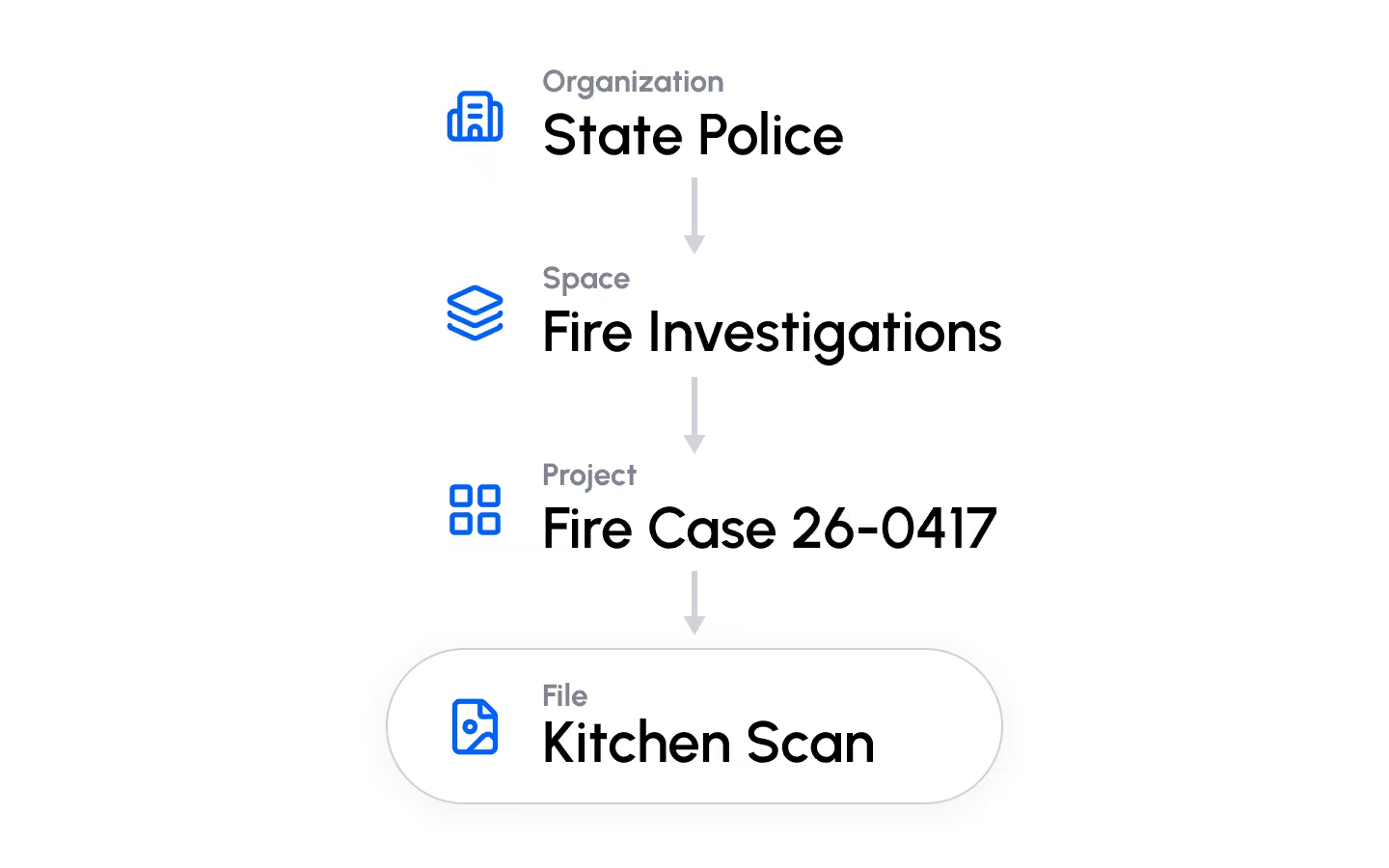
CaseWire provides you with a clear tree structure to organize large volumes of media, so you can replicate the structures you're already used to in your organization.
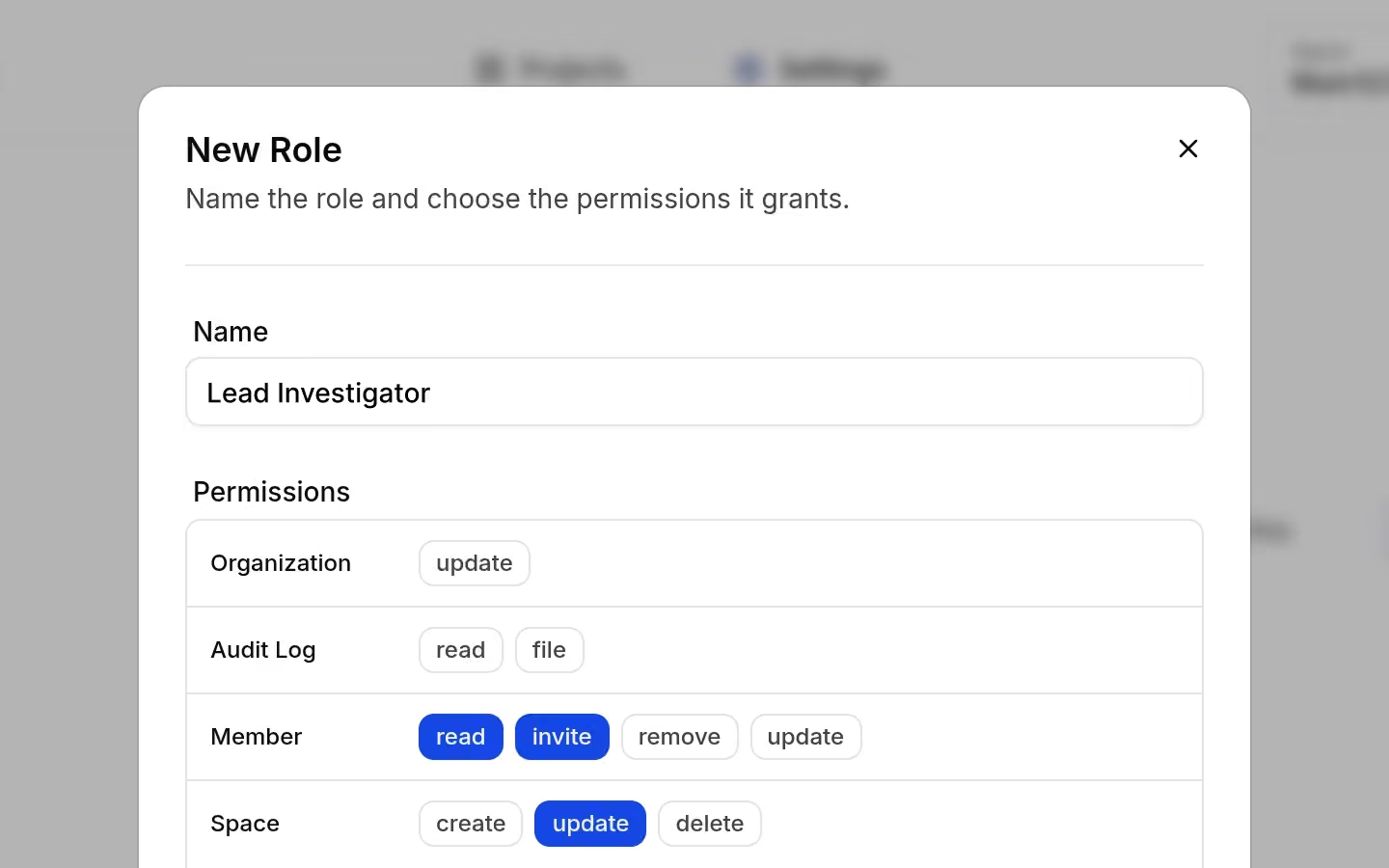
Define custom roles with fine-grained permissions, and assign them to users at specific levels, so every user can only perform the actions they're allowed to.

CaseWire can run entirely on your own hardware, so your media never leaves your control.
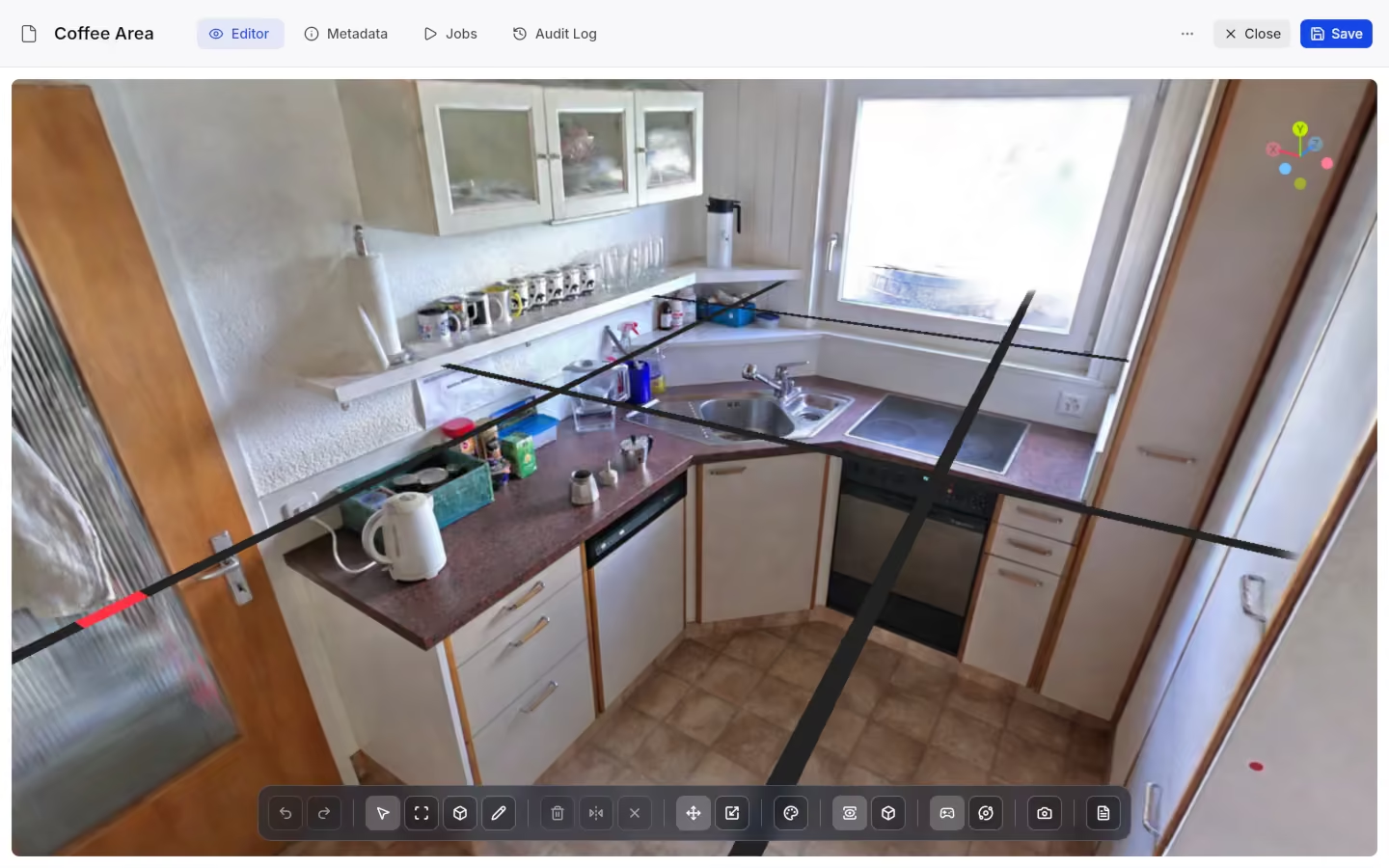
Full gaussian splat viewer rendered directly in the browser with no plugins or downloads.
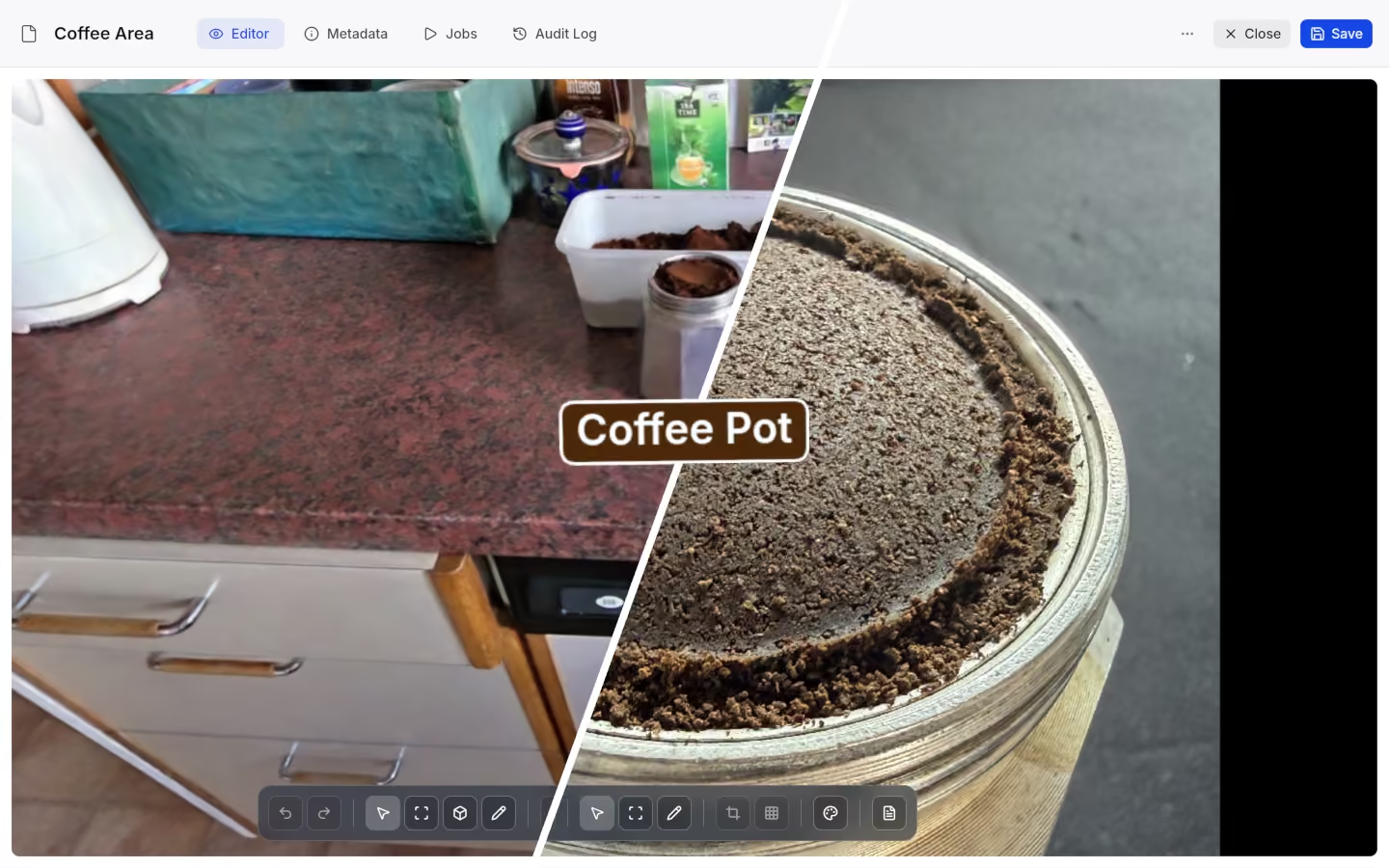
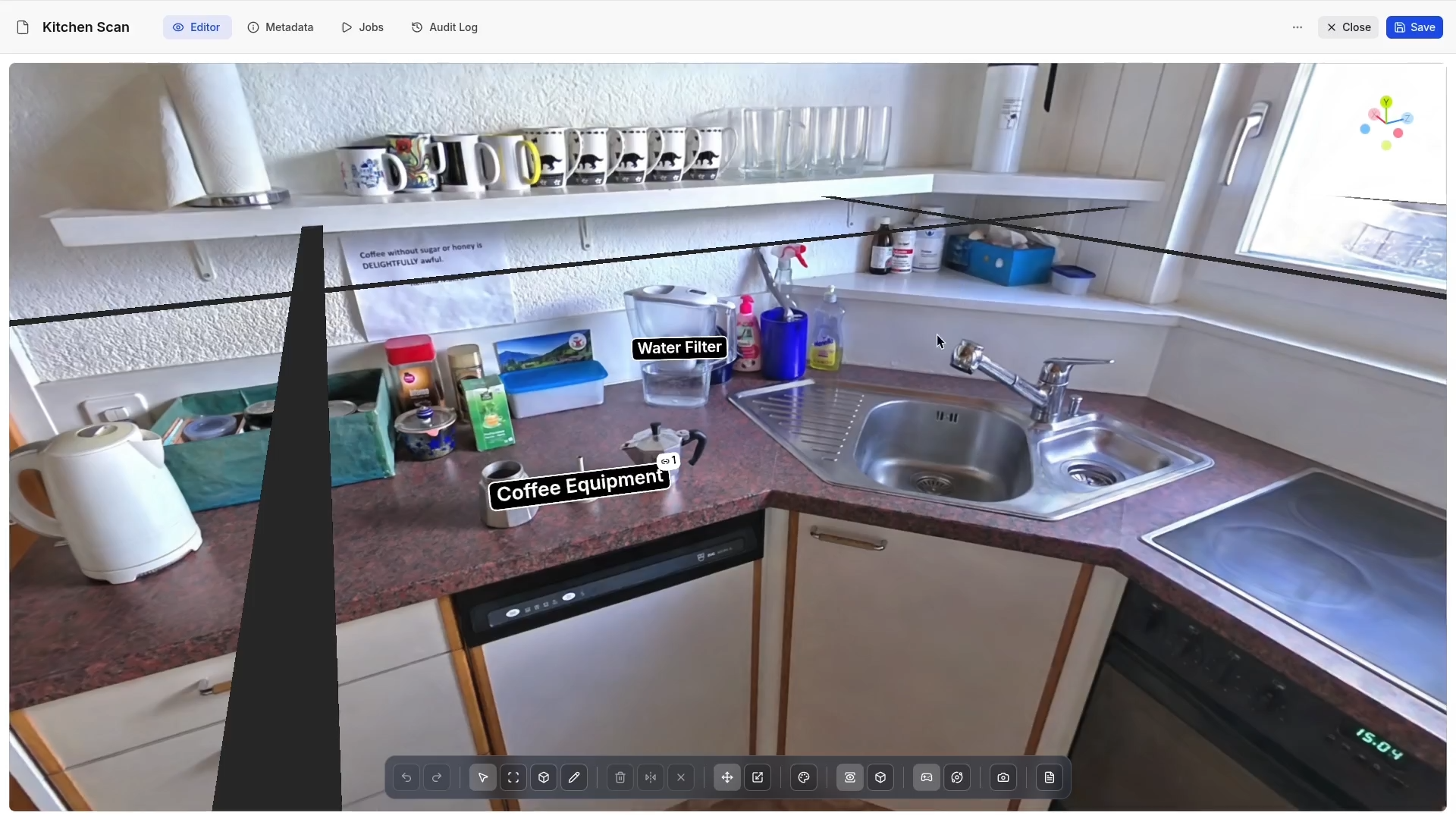
Pin comments to any image or 3D capture, and link annotations directly to other files.
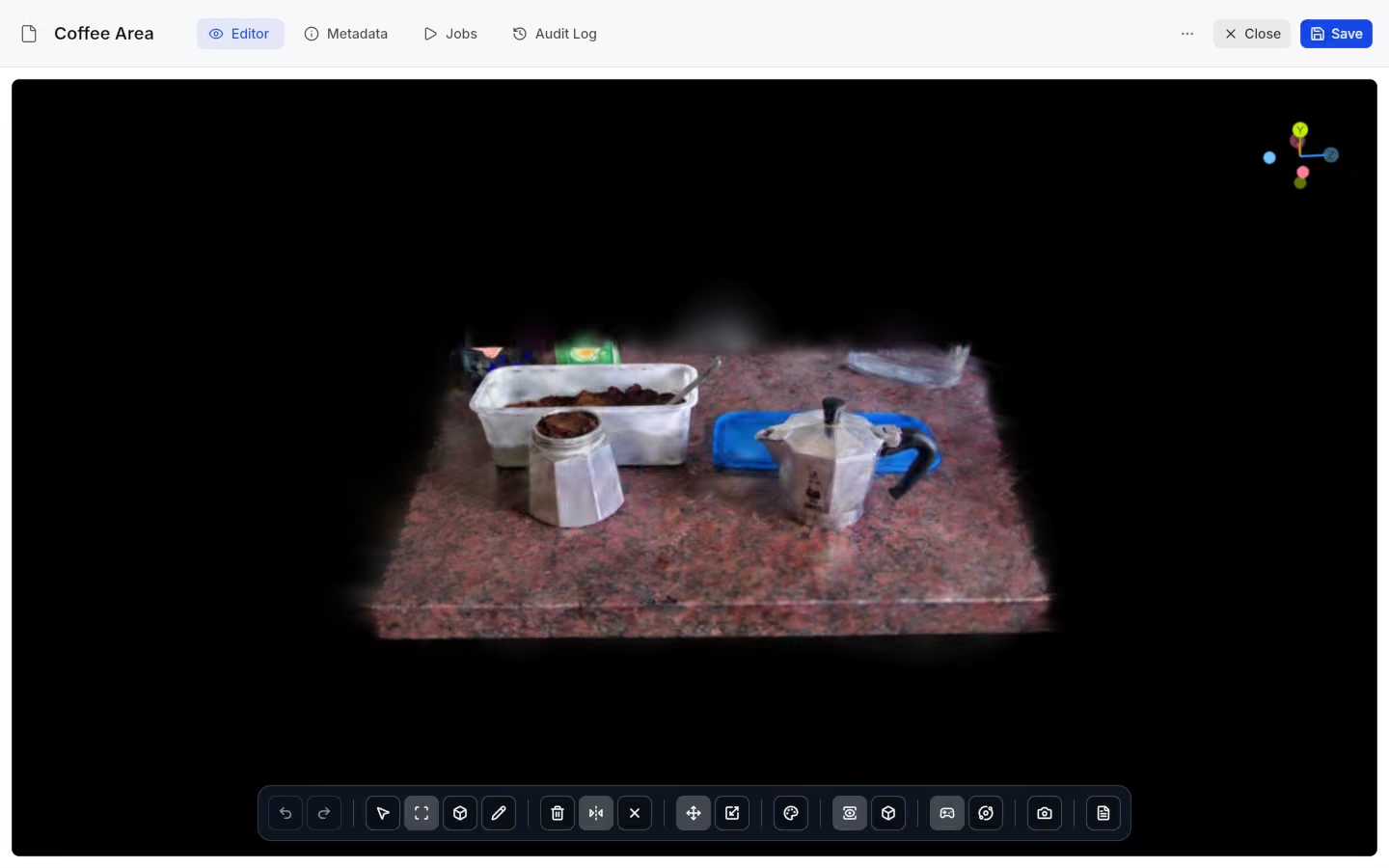
Select and cut regions of a gaussian splat scene to isolate or remove parts of a 3D capture.
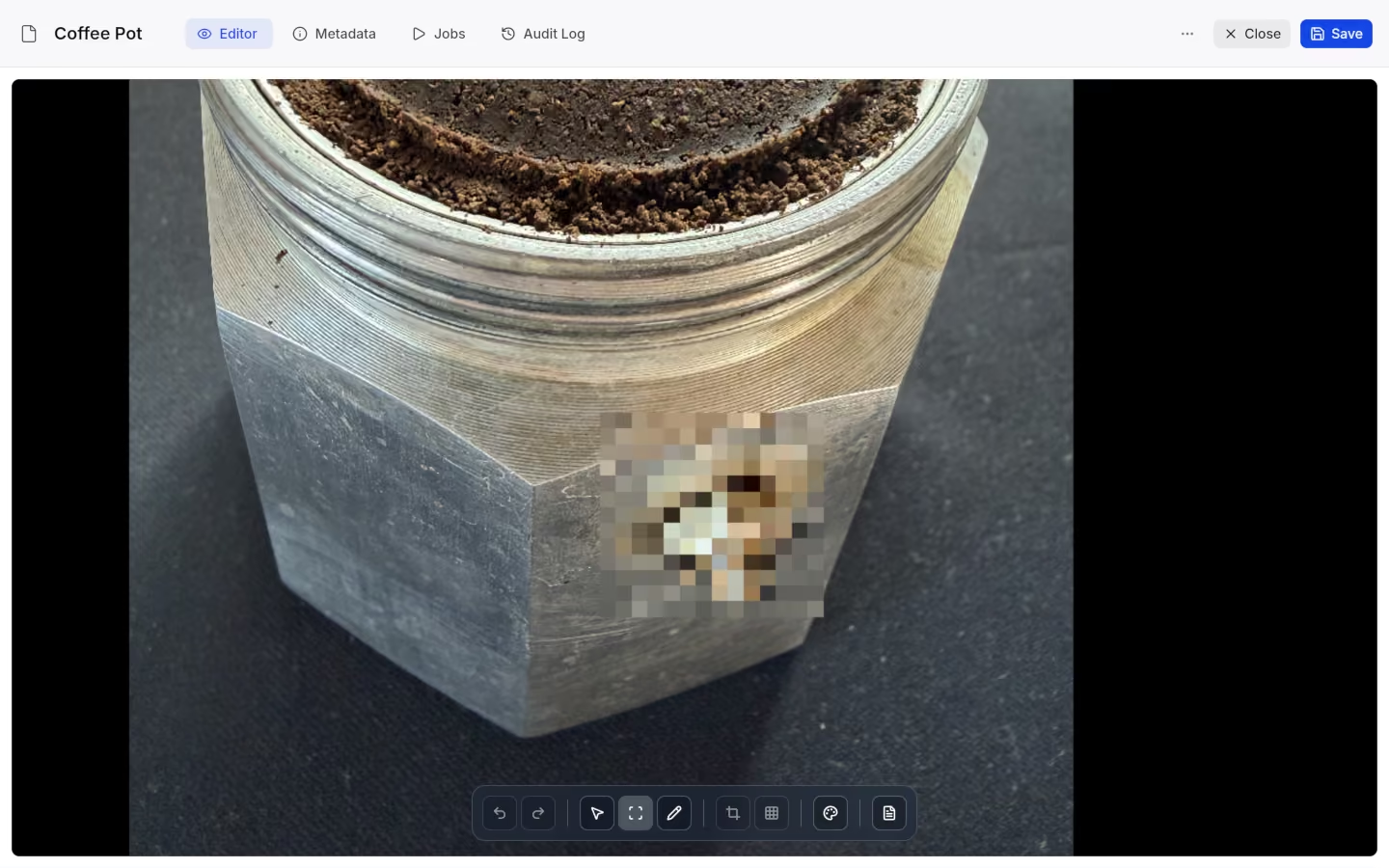
Crop and redact images directly in the viewer, with live color adjustments.
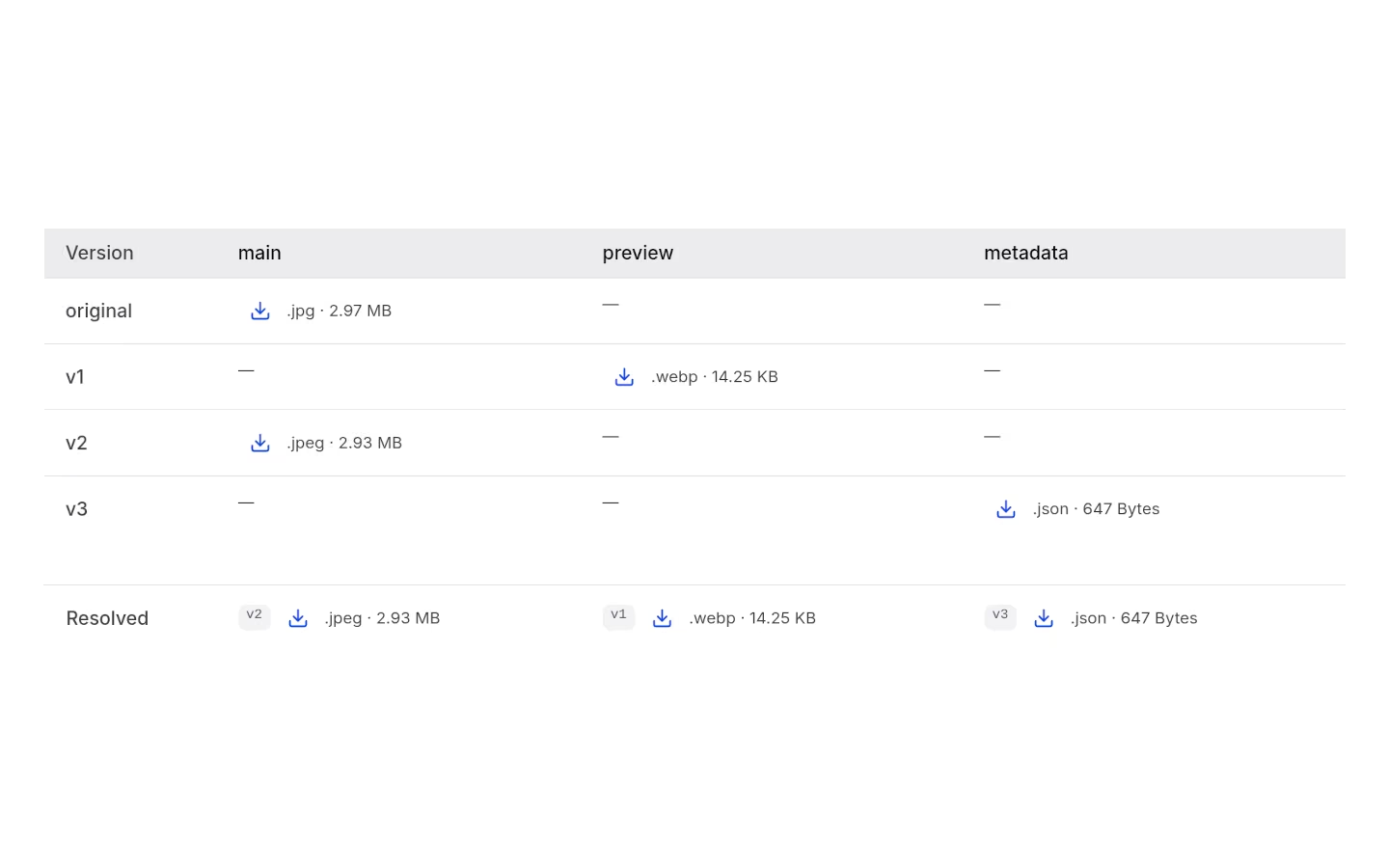
Every file keeps its full edit history as separate versions, so nothing is silently overwritten.
Auto-generated graph of a project's structure, showing files and how they connect to each other at a glance.
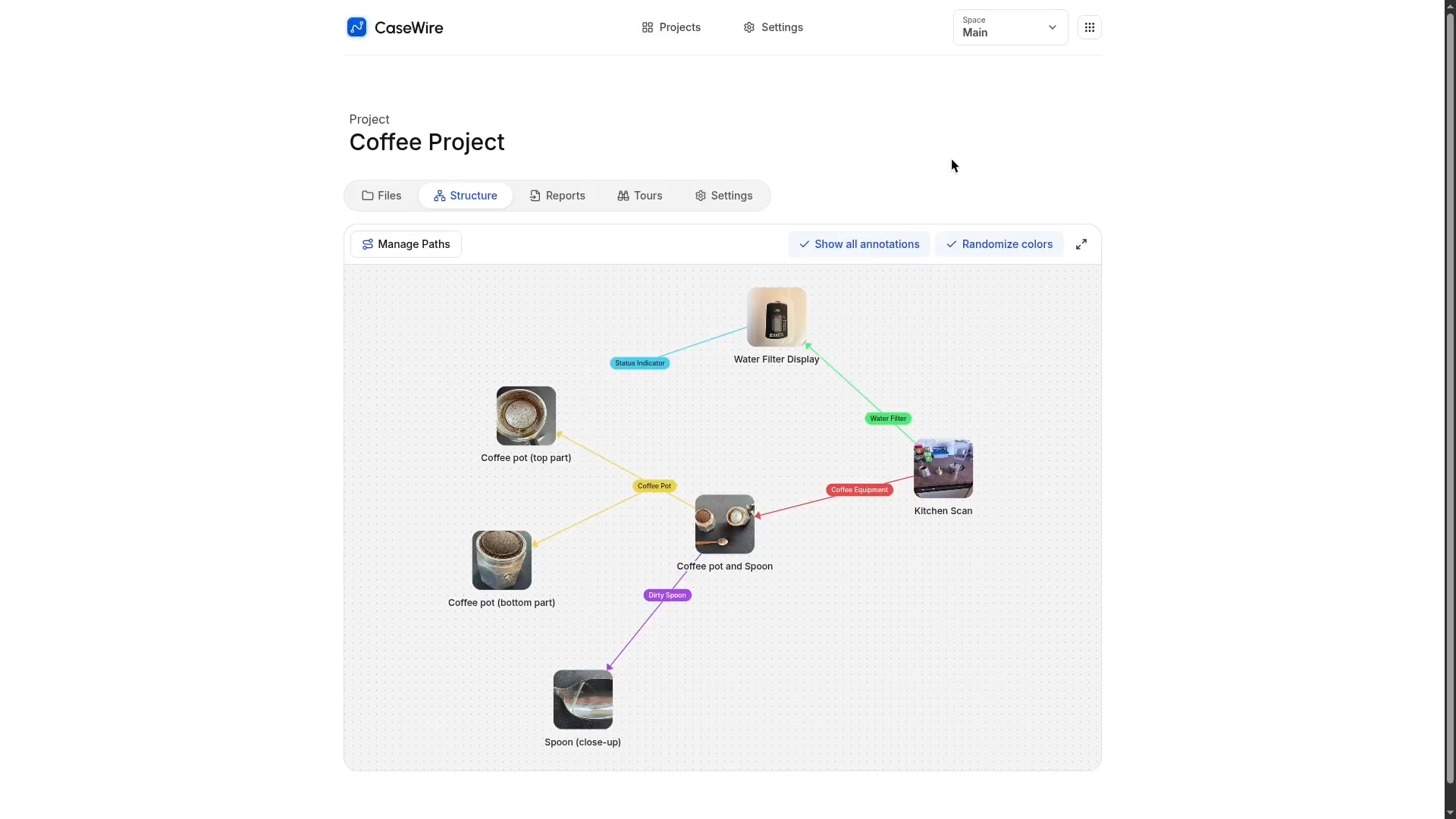
Build a named, ordered walkthrough across files, to create a guided narrative through the project.
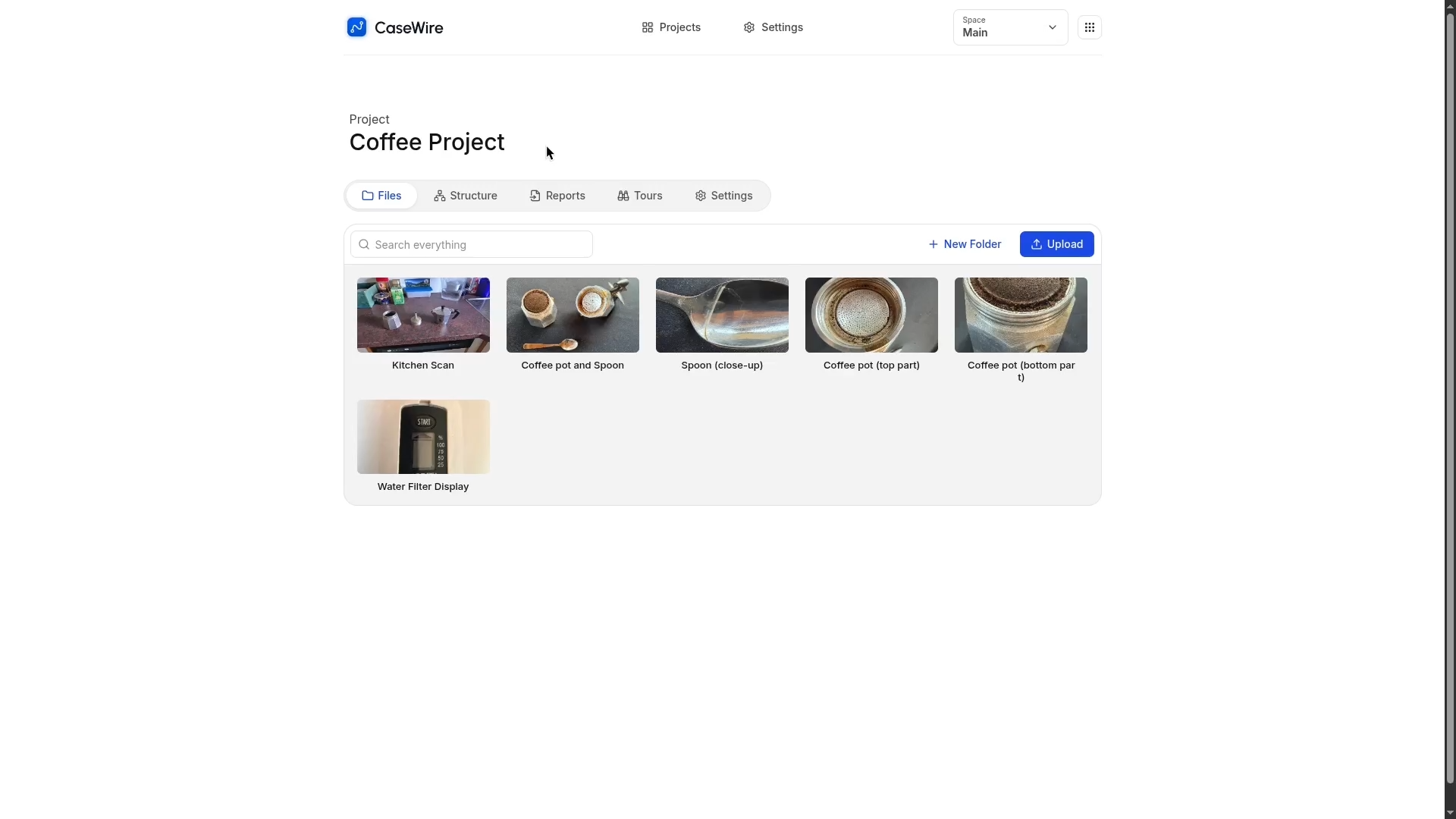
3D tours through your files.

Every file is encrypted individually at rest, with its own unique key.
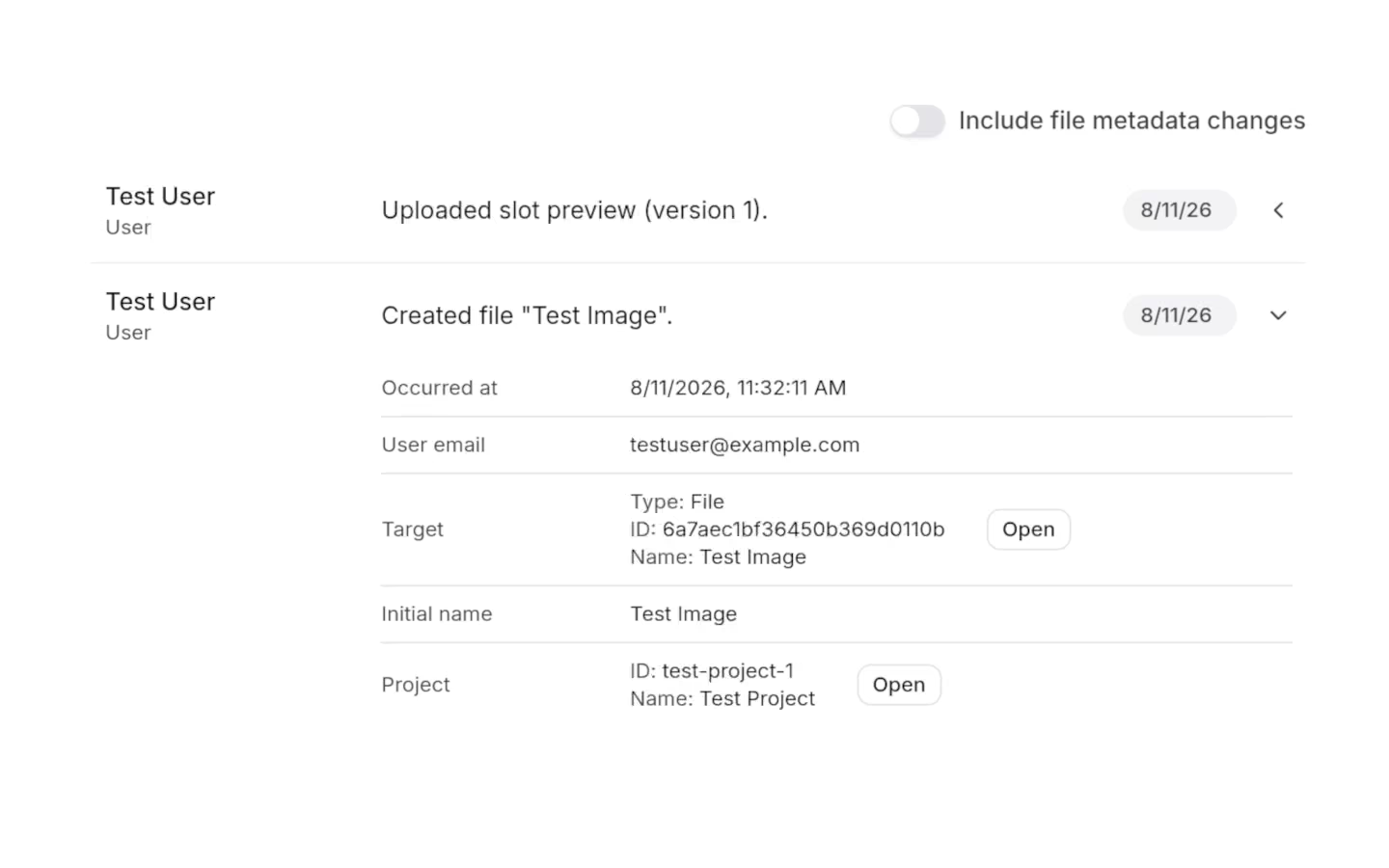
Every action in the system is logged in detail, giving a full record of user actions.

Invite other users into an organization to work on the same projects together.
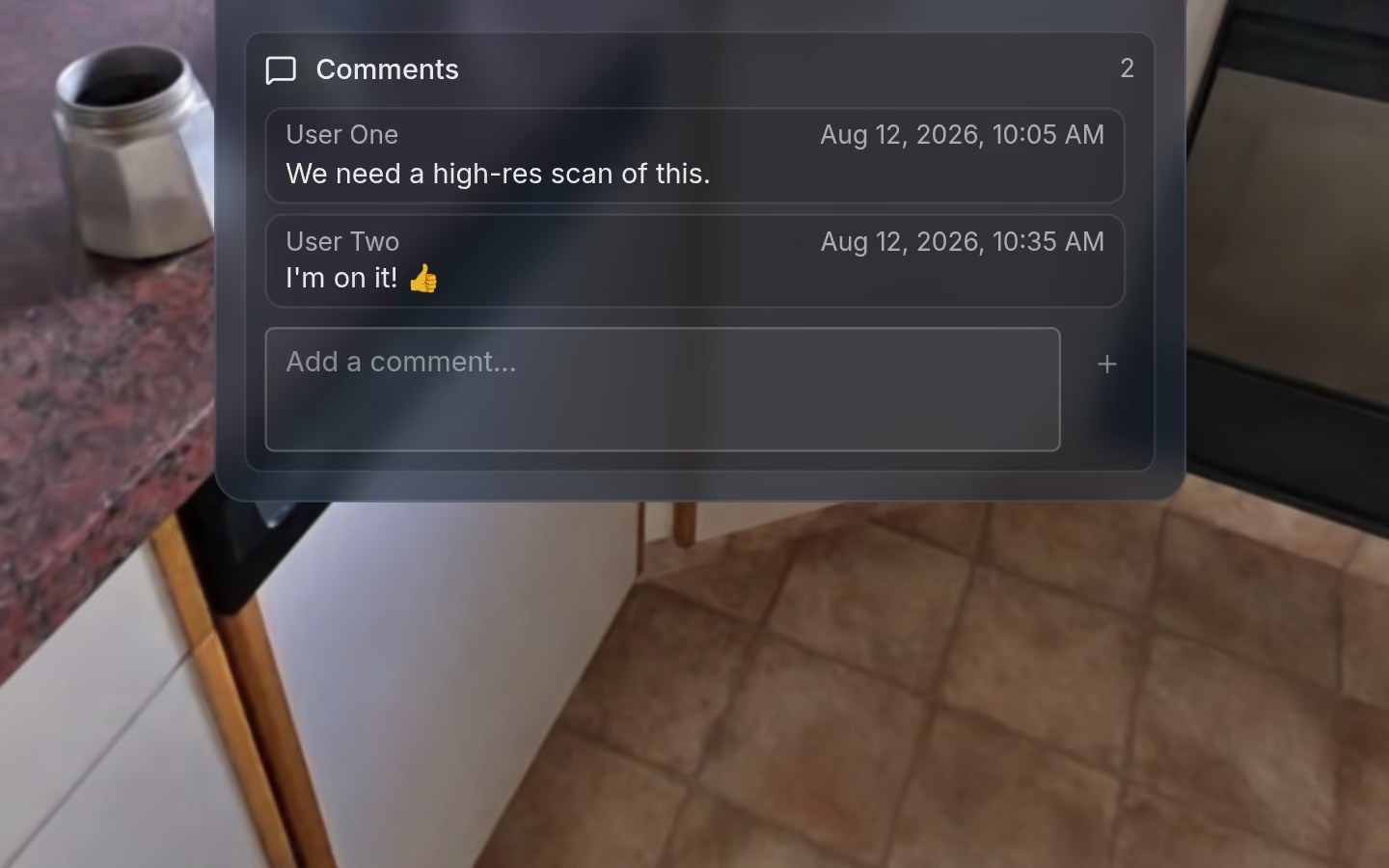
Leave comments directly on annotations to discuss specific files.
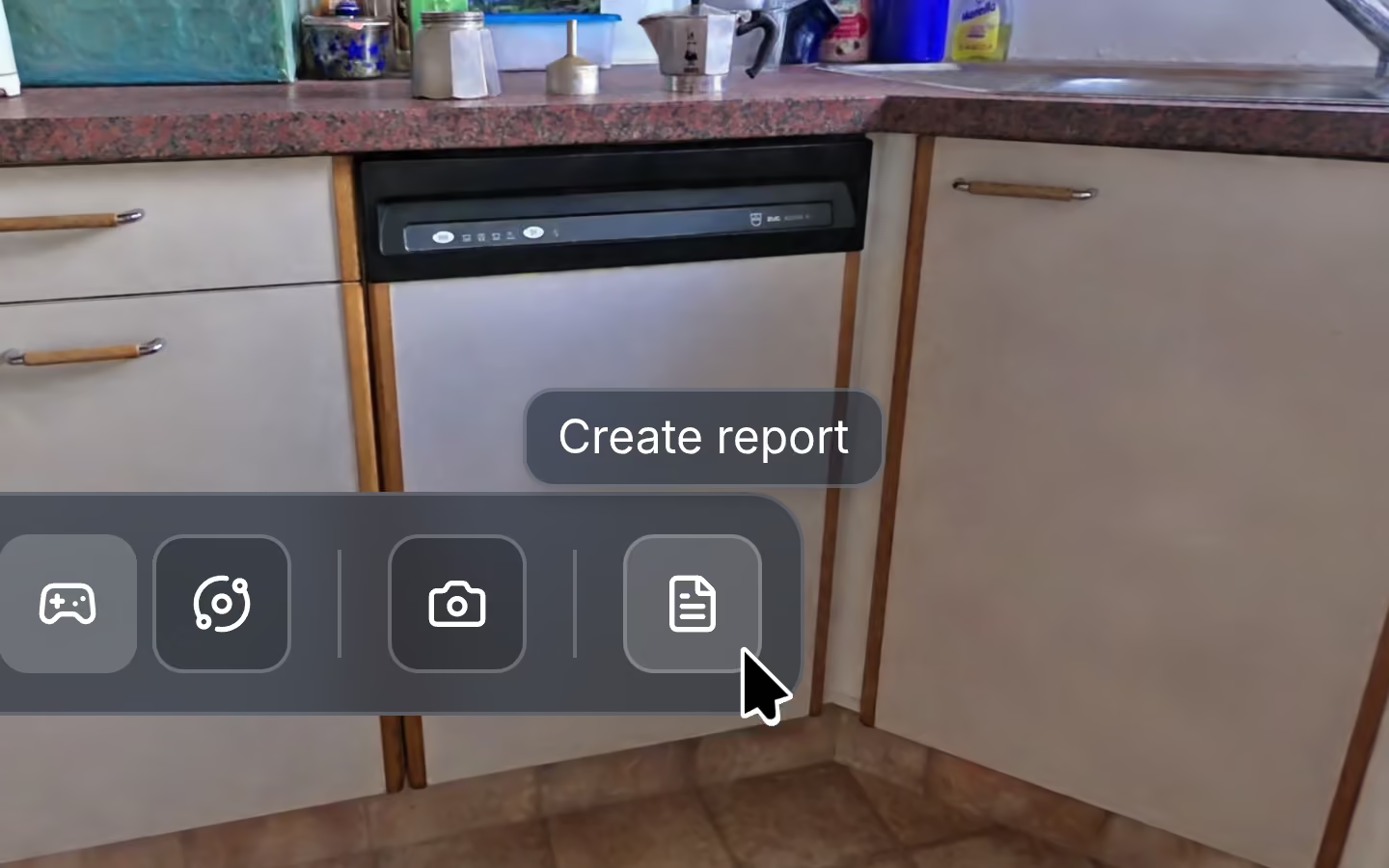
Generate a project report as a PDF in a single click.
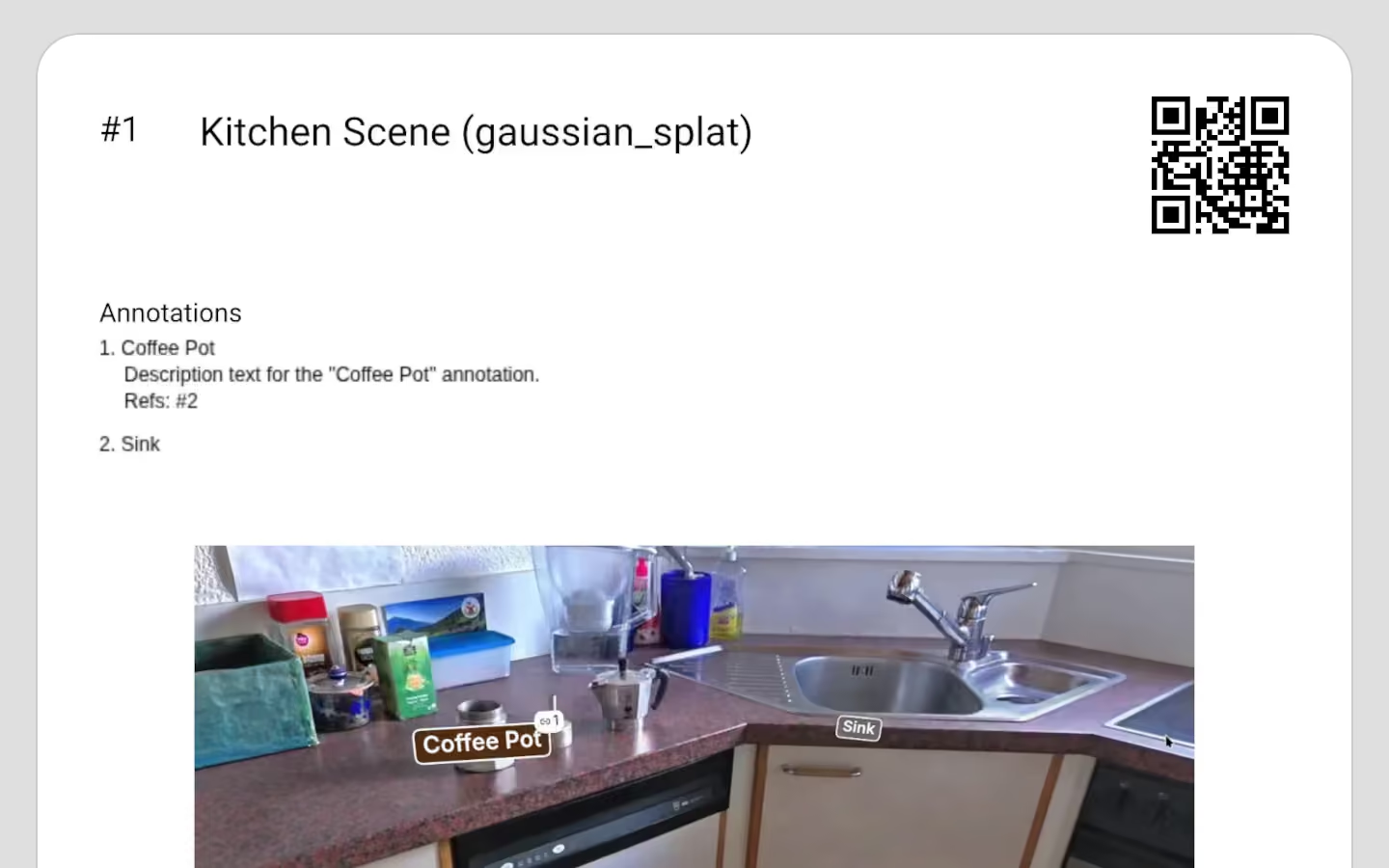
Reports include rendered previews of each file along with its annotations.
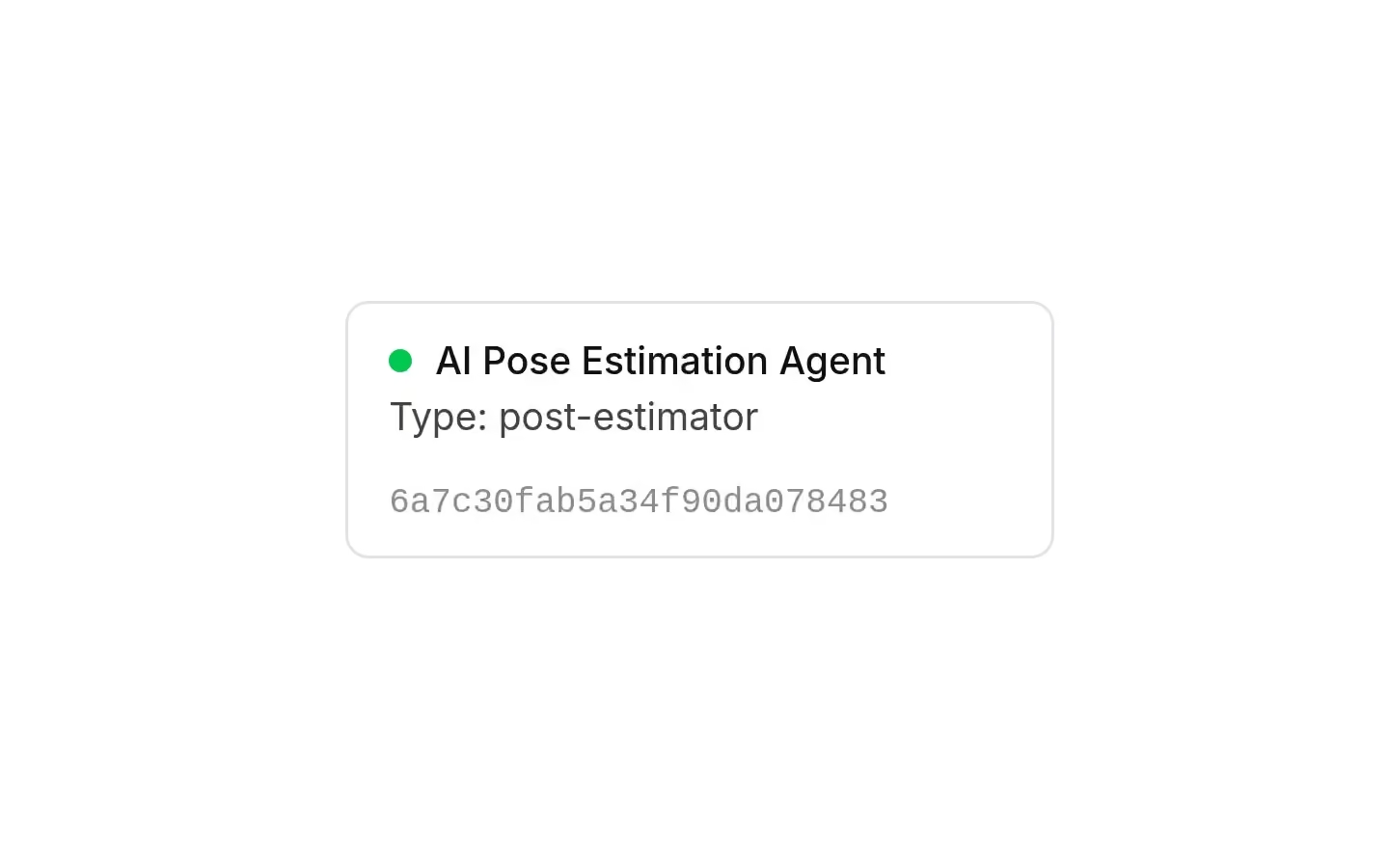
Pluggable job agent framework to connect external workers that process files automatically, opening the door to custom or AI-driven pipelines.